MCP Explained: How AI Stops Talking and Starts Doing
Model Context Protocol in plain language — how MCP gives your AI agent hands so it can send messages, fetch data, and run real business tasks.
By Botify Team
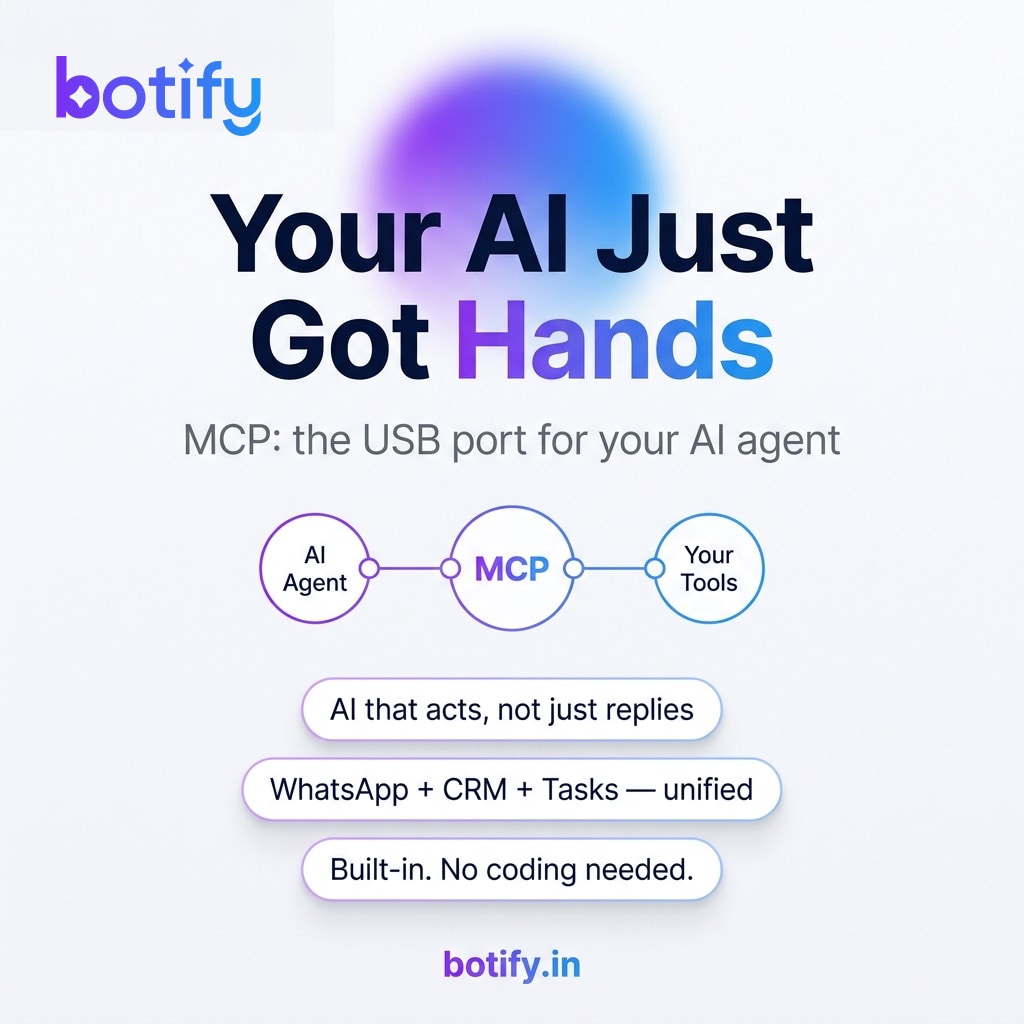
Every business owner who has tried an AI chatbot eventually hits the same wall. The bot answers questions well enough. But ask it to send a follow-up message, check whether an order shipped, or update a contact record — and it stares back blankly. It knows things, but it cannot do things. That gap has a name, and there is now a standard way to close it.
That standard is called the Model Context Protocol, or MCP. It sounds technical, but the idea is straightforward. This article explains what MCP is, why it matters for your day-to-day business communication, and what to look for when you want to put it to work.
What MCP actually is — without the jargon
Think of a USB port. Before USB existed, every device — printer, keyboard, camera — used its own plug. You needed a different cable for everything, and connecting a new gadget was a project in itself. USB created one universal socket. Any device that follows the USB standard can plug into any computer that follows it too.
MCP does the same thing for AI. It is an open standard that describes how an AI model (like ChatGPT, Claude, or Gemini) can connect to external tools and services in a consistent, reliable way. Before MCP, getting an AI to interact with your CRM or messaging platform meant custom code for every single connection. With MCP, the AI and the tool agree on one shared language. Build it once, and it works.
MCP is not a product you buy. It is a rulebook that lets AI models and business software talk to each other and take action together.
The difference between an AI that talks and an AI that acts
Without MCP, your AI assistant lives inside a glass box. It can read what you type and produce a reply. It has no reach beyond that conversation window. It cannot open your contact list, trigger a WhatsApp message, or pull up a customer's last order.
With MCP, the glass box gets doors. The AI can reach out through those doors and interact with connected systems. In practical terms, that means:
- Sending a follow-up WhatsApp message to a lead without you lifting a finger
- Looking up an order status from your database and reading it back to the customer
- Adding a new contact to your CRM the moment a conversation ends
- Triggering a broadcast to a customer segment based on a condition you set
- Fetching analytics from your messaging dashboard and summarising them in plain language
The AI is no longer just a smart answering machine. It becomes an operator that can actually run tasks inside your business systems.
How the connection works in practice
An MCP setup has two sides. On one side is the AI model — the brain. On the other side is an MCP server — a layer that sits in front of your business tools and exposes their capabilities in a format the AI understands.
When you ask the AI to do something — say, send a payment reminder to all customers who have an outstanding invoice — here is what happens behind the scenes:
- The AI receives your instruction in plain language.
- It identifies what actions are needed: fetch the list of customers with outstanding invoices, compose a reminder message, send it via WhatsApp.
- It calls the relevant tools on the MCP server, one by one.
- The MCP server executes each action on the actual platform — your CRM, your messaging channel.
- Results come back to the AI, which confirms completion and tells you what was done.
You gave one plain-English instruction. The AI handled the sequence. No manual tab-switching, no copy-pasting between apps.
Why this matters specifically for client communication
Client communication is the most repetitive, time-sensitive part of running a small business. Follow-ups, reminders, confirmations, support replies — each one is simple, but together they consume hours every week. They also carry real financial consequences: a lead that goes unanswered for a few hours is often a lead lost.
MCP is particularly powerful here because communication tools — WhatsApp, SMS, email — are exactly the kind of systems that benefit most from being operated by an AI that can act, not just advise. Consider what becomes possible:
- An AI that monitors incoming WhatsApp leads and sends a personalised first reply within seconds, any time of day
- An AI that flags conversations that have gone cold and sends re-engagement messages automatically
- An AI that your team can instruct in plain language — no need to log in to multiple dashboards
- An AI that reads your campaign reports and tells you which message template is performing best
None of this requires you to write code or hire a developer. If the platform you use has an MCP server built in, you connect your AI model of choice and start giving instructions.
What to look for when evaluating MCP-ready platforms
Not every business tool has adopted MCP yet, so it is worth knowing what questions to ask before you commit to a platform.
- Does the platform expose an MCP server, or do you have to build your own?
- Which AI models does it support — can you use ChatGPT, Claude, and Gemini, or only one?
- What actions can the AI actually perform — read-only data, or full send-and-update capabilities?
- Is there an audit trail so you can see what the AI did and when?
- Can non-technical team members use it, or does it require developer involvement?
Botify Assistance, for example, is Botify's built-in MCP connector. It lets popular AI models like ChatGPT and Claude operate a Botify workspace directly — sending messages, managing contacts, running broadcasts — without any custom integration work from your side. If you want to see how a natively integrated MCP layer looks in a communication platform, it is a practical reference point.
The honest limits of MCP today
MCP is a genuine step forward, but it is worth being clear-eyed about where it still needs care.
- The AI is only as good as the instructions you give it. Vague prompts produce vague actions.
- Permissions matter. You should grant the AI access only to the tools it genuinely needs to operate, not everything.
- Human review is still valuable for high-stakes actions — large broadcasts, sensitive customer messages, financial triggers.
- MCP adoption is growing but uneven. Not every tool in your stack will have an MCP server available yet.
Think of MCP-powered AI as a capable new team member who works fast and never sleeps, but still needs clear guidelines and occasional oversight. Set the rules, check the outputs early on, and you will build confidence in what it can handle autonomously.
Where to start if you want to try it
You do not need to understand every technical detail of MCP to benefit from it. What you need is a platform that has already done the implementation work and an AI model account you can connect to it. Start small: pick one repetitive communication task — sending lead acknowledgements, for instance — and let the AI handle it for a week. Observe the results, adjust the instructions, and expand from there.
The businesses that will gain the most from AI in the next few years are not the ones with the biggest budgets. They are the ones that move from AI-as-advisor to AI-as-operator earliest. MCP is the bridge between those two states.
See how Botify works for your business